
How do I see how my videos perform as ads?
Ad metrics for your Noovid videos on Meta and TikTok: what's included on each plan and where to find them.
Go to Metrics in the sidebar. When your Noovid videos run as ads on Meta or TikTok, Noovid brings the results back so you can see which creators and videos perform best.
📍 Where to find them
- Metrics in the sidebar — an overview of all your videos, including your top performing creators.
- Inside each campaign — how that campaign's videos are doing as ads.
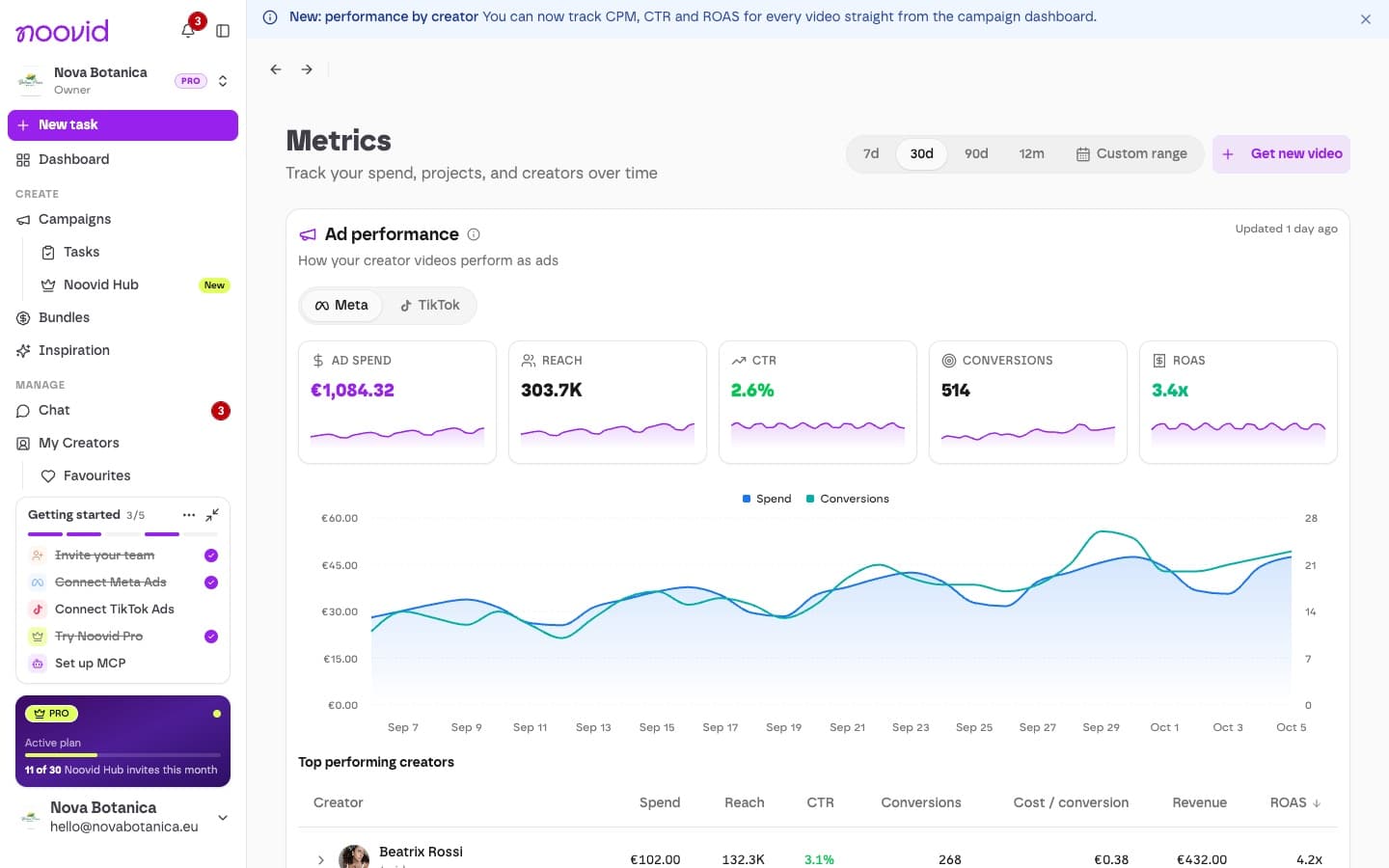
Data usually shows up within 24 hours of the ad starting to run. When you connect, we load up to 60 days of history.
📊 What's included
| Metric | Free | Noovid Pro |
|---|---|---|
| Spend, impressions, reach, clicks, CTR, CPM, CPC, frequency | ✓ | ✓ |
| Conversions and cost per conversion | ✓ | |
| Revenue and ROAS | ✓ |
🔗 Getting your videos tracked
Connected videos only
Metrics are only available for videos connected to Noovid — either sent from Noovid to your ad account, or linked with Link existing. Sending videos to Meta and TikTok
How do I send videos to Meta Ads or TikTok Ads?
Connect your Meta or TikTok ad account and send approved videos straight to your ad library in one click.
How do I connect Noovid to Claude or ChatGPT (MCP)?
Manage your Noovid projects from AI assistants like Claude or ChatGPT using the Noovid MCP server, available on Noovid Pro.