
How do I choose creators from the applications?
How to review applicants, accept or reject them, and what happens when every spot is filled.
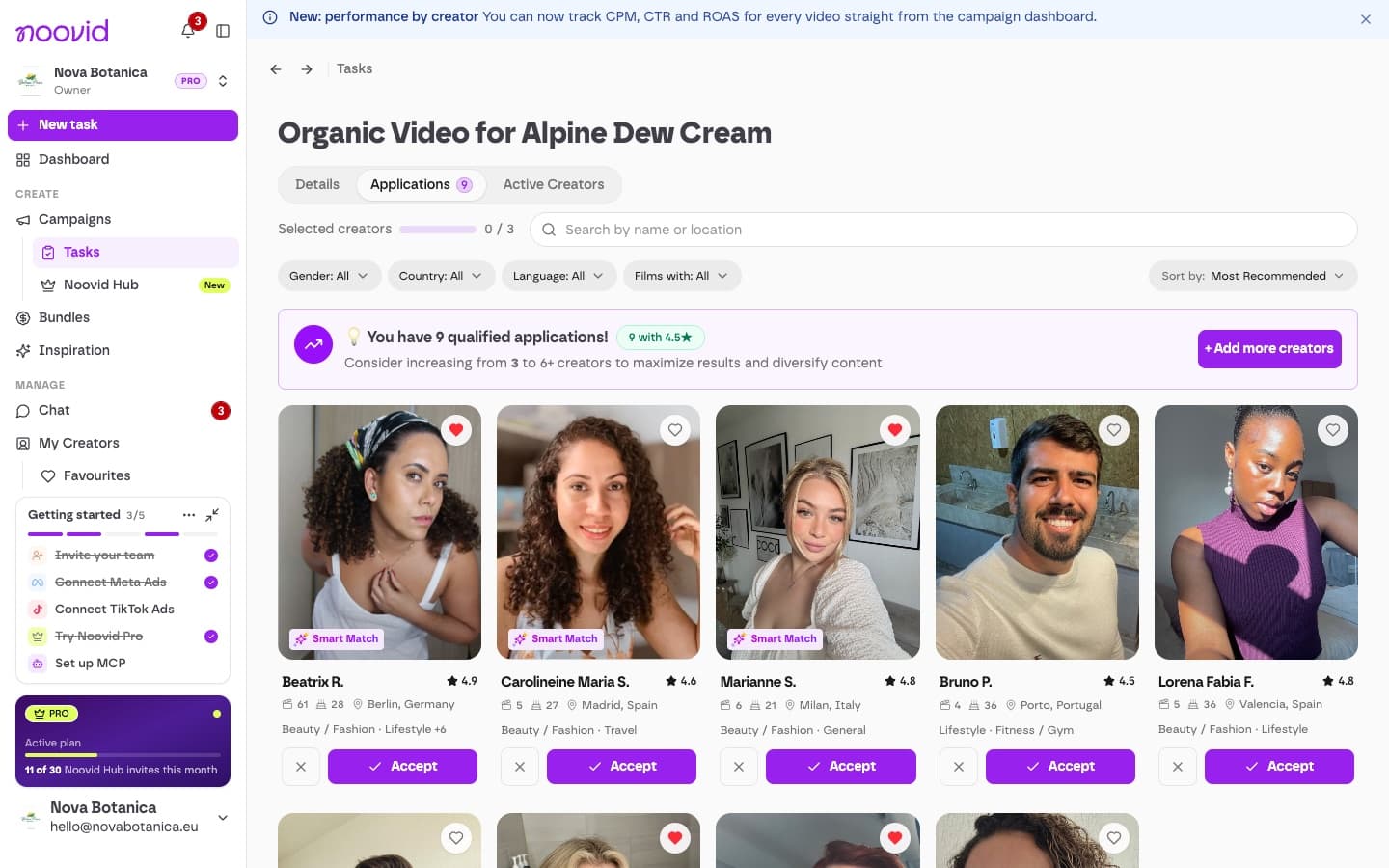
Open your project, look through the applications, and accept the creators you like. Once your project is live, creators who match your profile can apply, and we'll email you a summary as applications come in.
🔍 Reviewing applicants
For each creator, you'll see:
- Their photo, rating, number of completed jobs, age, location, categories and languages
- Their portfolio
- If they wrote one, a message on why they're a good fit
Until you hire a creator, their surname is shortened.
You can search by name or location and sort by Most Recommended, most recent, name, rating or age.
Smart Match (Noovid Pro)
On Noovid Pro, Smart Match highlights the "Standout matches for this brief" — the applicants who best fit your project.
✅ Accepting and rejecting
- Accept the creators you want and confirm. Each acceptance fills one spot in your project. More great applicants than spots? You can add more creators to the project.
- Reject the ones that aren't a fit. Rejected creators don't get a rejection email.
- Click the heart to save a creator to your Favourites for future projects.
When every spot is filled, the remaining applications close automatically and the project's status changes to Processing.
📦 After accepting
Each accepted creator gets a job page, with a chat and the delivery address. Ship the product and add the tracking code. Sharing tracking codes
❓ Common questions
I can't continue when creating a project. What's missing?
What each step of the project form needs before you can continue, and what to do if you're still stuck.
How do I find a creator with a specific profile?
Set the creator profile when you create a project, filter your applicants, search the Noovid Hub, or invite a creator you already know.