
How do I invite my team, and what can each role do?
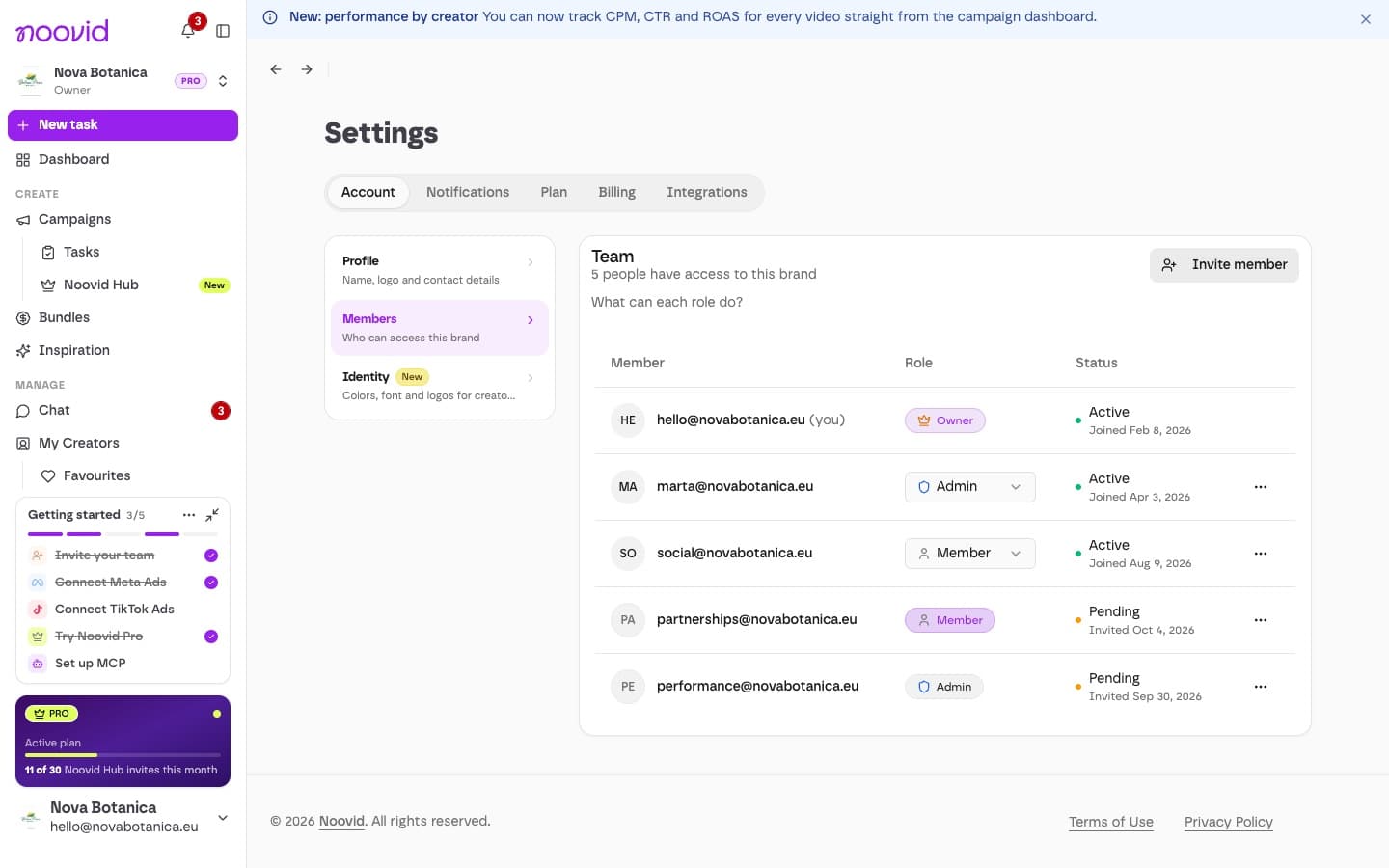
How to invite team members to your brand account and what Owners, Admins and Members can do.
You can invite as many teammates as you like to your brand account — there's no limit on the number of members.
✉️ Inviting someone
Open Members
Go to Settings → Account → Members.
Send the invite
Click Invite member, enter their email, choose a role (Admin or Member) and click Send Invite.
They accept
They'll get an email invitation, valid for 7 days.
👥 What each role can do
| Member | Admin | Owner | |
|---|---|---|---|
| Create projects and campaigns | ✓ | ✓ | ✓ |
| Choose creators, chat and approve content | ✓ | ✓ | ✓ |
| Use bundle credits | ✓ | ✓ | ✓ |
| Send videos to Meta / TikTok Ads | ✓ | ✓ | ✓ |
| Pay by card, buy bundles, manage billing | ✓ | ✓ | |
| Connect integrations and change settings | ✓ | ✓ | |
| Invite and manage team members | ✓ | ✓ | |
| Transfer ownership of the brand | ✓ |
If a Member tries something their role doesn't allow, they'll see "Admin permission needed". Just ask an Admin or the Owner to do it, or to change your role.
One Owner per brand
Each brand has one Owner. You can't invite someone directly as Owner — the current Owner can transfer ownership to an existing member.
Tip
Favourites can be private or shared with the team, so everyone can invite the same trusted creators.
What is the Brand Kit and how do I set it up?
Set your colours, font, logos, caption style and brand voice once, and creators see them on every project.
How do notifications and the getting-started checklist work?
Where Noovid tells you about applications, deliveries and messages, how to manage emails, and what the getting-started checklist is.