What is Noovi, the Noovid assistant?
Noovi is your Noovid assistant, in the dashboard and on WhatsApp: ask about your projects, creators, deliveries and ads, and let it act for you.
Noovi is your Noovid assistant. Ask it things in plain words, like you'd ask a colleague, and it answers with your account's real data. It can also do things for you. You can talk to Noovi in two places: in your dashboard and on WhatsApp.
💬 What can I ask?
- What needs you: "What needs me today?" or "Which videos are waiting for my review?"
- Creators: "Who applied to the serum project?" or "Find creators on the Noovid Hub who film skincare."
- Shipping: "Did Carol ship?" or "Which creators still need their product?"
- Ads and spend: "How did my Meta ads do in the last 7 days?" or "How much did we spend this month?"
- Briefs and scripts: "Write a brief for a 30-second video of my new serum."
- How Noovid works: Noovi searches this help center for you.
✅ Can Noovi make changes?
Yes. It can accept an applicant, approve a video, add a tracking code, send a message to a creator and more. Before anything changes, Noovi asks you to confirm, and nothing happens until you tap Confirm.
🖥️ Noovi in the dashboard
Open Noovi in the sidebar, or use the prompt box on your dashboard home.
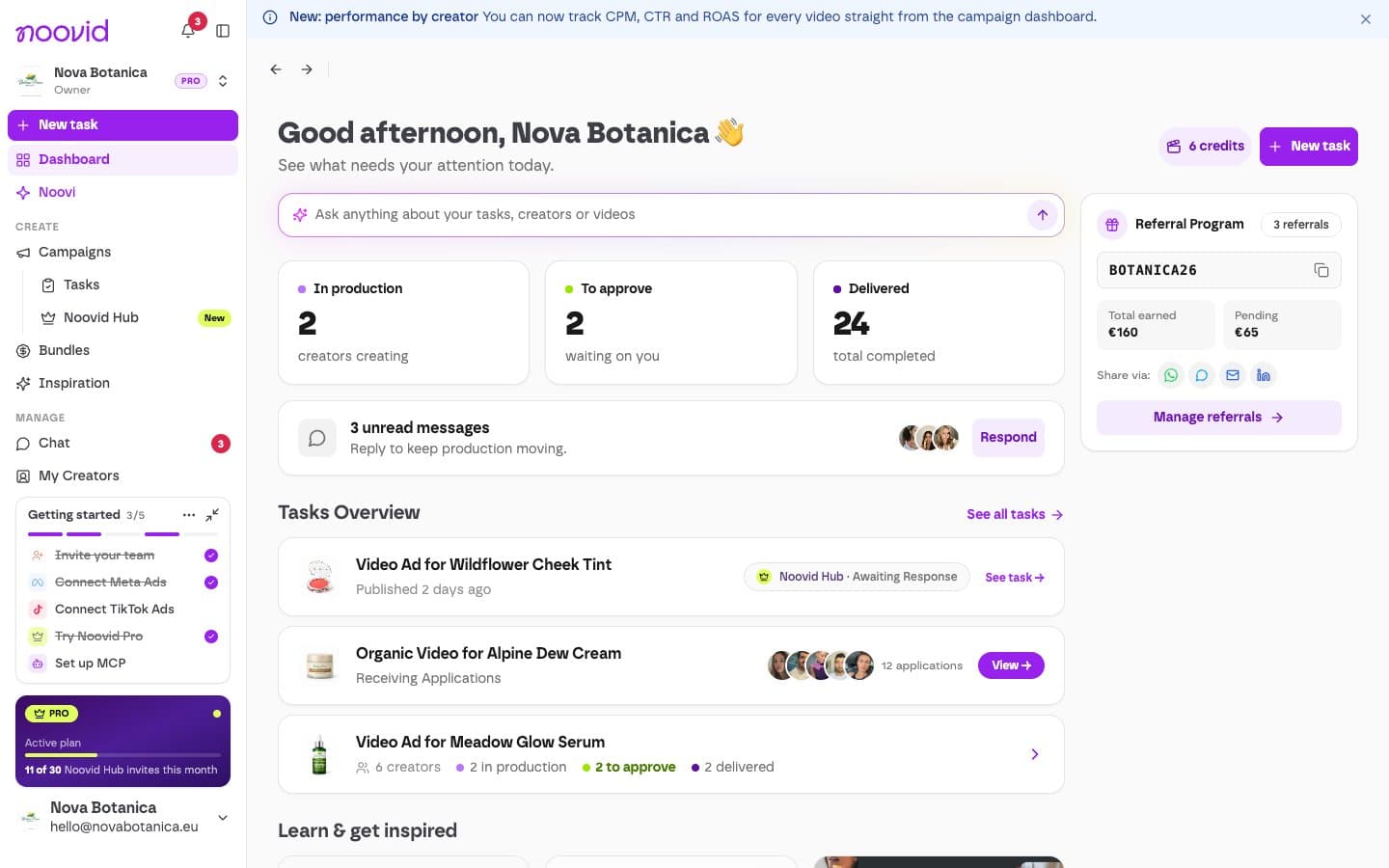
- Noovi shows your projects, creators and ad results as cards you can click.
- When it drafts a brief, you can copy it or open it straight in the project form.
- Your conversations are saved under Chats, where you can search, rename or delete them. Click New chat to start fresh.
How many messages do I get?
| Free | Noovid Pro |
|---|---|
| 3 per month | 1,000 per month |
Messages reset every month. If something goes wrong and Noovi can't answer, the message isn't counted.
📱 Noovi on WhatsApp
Run your projects from WhatsApp, without opening the dashboard.
Open the WhatsApp settings
Go to Settings → Integrations → WhatsApp and click Connect on WhatsApp.
Send the prefilled message
Tap Open WhatsApp on your phone, or scan the QR code from your computer. Send the message that's already written (it starts with CONNECT). That's how we know it's you.
Start chatting
We reply right away. Ask anything about your projects.
Good to know:
- Updates: turn on Send me updates to get a WhatsApp message when a creator sends a script, a video, photos, a Social Boost post or a partnership ad code, accepts an invitation or messages you. Reply to any update to act on it.
- Voice notes: as well as text, you can record a voice note in the chat and Noovi understands it. Keep them short. Noovi can't read photos, videos or files yet.
- Several brands? Switch between them right in the chat.
- Disconnect any time from the same settings page, or send DESCONECTAR in the chat.
Rolling out
Noovi on WhatsApp is being rolled out gradually. If you don't see WhatsApp under Settings → Integrations yet, it isn't on your account yet. Talk to us in the chat if you'd like early access.
Prefer Claude or ChatGPT?
You can also connect Noovid to your own AI assistant. How to connect Claude or ChatGPT
How do I sign in, and what if I can't?
Noovid has no passwords: sign in with Google or an email link. What to do if the link doesn't arrive, and how to change your login email.
How do I contact Noovid support?
The quickest ways to reach the Noovid team: the chat in the app and on this help center, or email.