
How do I connect Noovid to Claude or ChatGPT (MCP)?
Manage your Noovid projects from AI assistants like Claude or ChatGPT using the Noovid MCP server, available on Noovid Pro.
On Noovid Pro, you can connect Noovid to AI assistants that support MCP connectors — like Claude or ChatGPT — and manage your account just by chatting. Check what needs your attention, look up projects and creators, review spend, create projects and more.
🔌 How to connect
Open the MCP settings
Go to Settings → Integrations → AI assistants.
Copy the server URL
Copy the MCP server URL: https://app.noovid.com/api/mcp
Add a custom connector
In your AI assistant, add a custom connector (or MCP server) and paste the URL.
Sign in and approve
You'll be taken to Noovid to sign in and approve the connection. Choose which brand to connect.
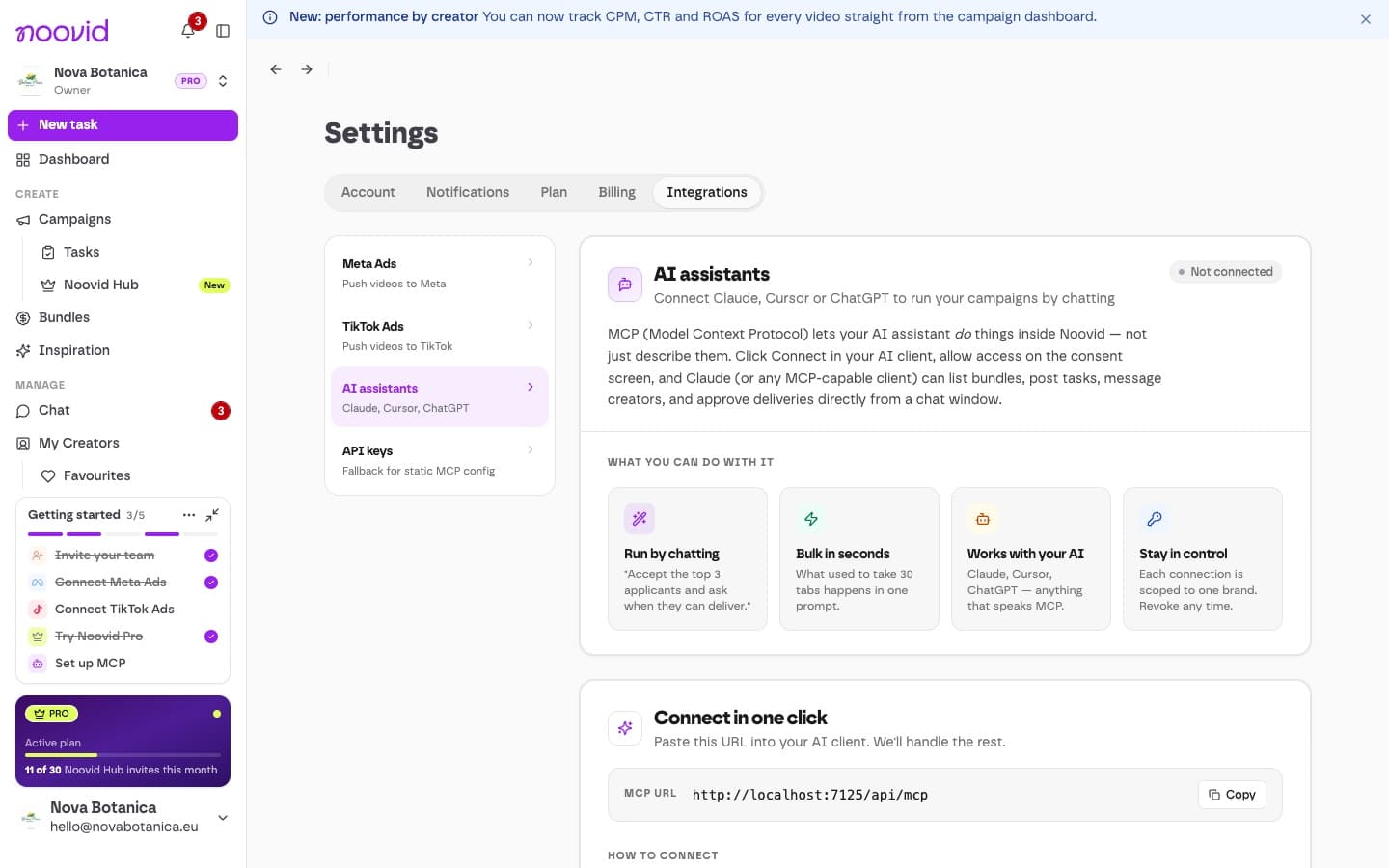
Each connection works with one brand. You can see and revoke connections anytime under Connected on the same page.
🔑 API keys
If your tool needs a fixed configuration file instead of signing in, you can create one under Settings → Integrations → API keys.
Keep it secret
Anyone with the key can access your brand.
💡 Good to know
- Available on Noovid Pro. If your subscription ends, connections stop working.
- Connecting needs the Admin or Owner role — the Integrations settings are only available to admins. Team roles
- The assistant acts with your permissions, so it can only do what your role allows. Check what it suggests before confirming anything that involves a payment.
- The assistant can also search this help center to answer your questions.
How do I see how my videos perform as ads?
Ad metrics for your Noovid videos on Meta and TikTok: what's included on each plan and where to find them.
Communicating with creators: what's allowed and what isn't
Why all communication with creators stays in the project chat, the one exception for product shipping, and what happens if you contact creators elsewhere.