
How do I pay, and where are my receipts?
How payments work in Brazil, where to download receipts and invoices (NFS-e), and how to fill in your billing details.
You pay by Pix, card or bundle credits when you publish a project, and you'll find all your receipts and NFS-e invoices under Settings → Billing.
💳 How payment works
- You pay when you publish a project or buy a bundle. Prices are in reais (R$).
- At checkout, you can pay by Pix or card, or use prepaid bundle credits.
- Payments are processed securely by Stripe. Noovid never stores your card details.
- Your payment is held safely by Noovid and only goes to the creator once you approve the content.
In Brazil, your contract is with NOOVID NEGÓCIOS DIGITAIS LTDA. (CNPJ 54.059.885/0001-23).
🧾 Receipts and invoices (NFS-e)
Go to Settings → Billing to see your payment history — projects, bundles and your Noovid Pro subscription. For each payment:
- Download invoice gives you the payment receipt.
- Download invoice (NFS-e) gives you the Brazilian service invoice (nota fiscal) issued by Noovid. If it says Invoice not issued yet, the NFS-e is still being issued — check back a bit later.
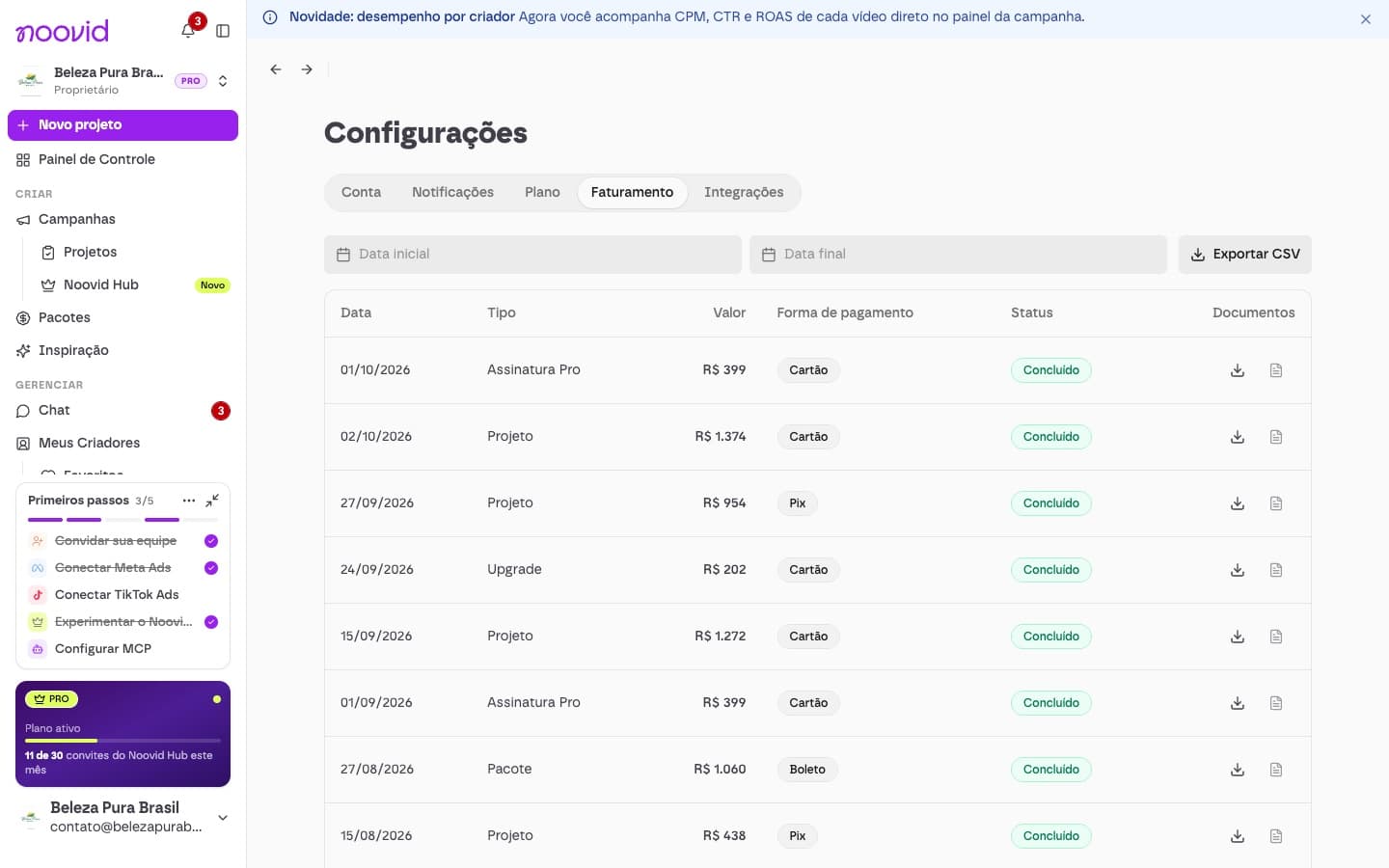
Admins can also export the list as CSV.
On Noovid Pro, you can update the card for your subscription under Settings → Plan → Update card.
🏢 Billing details
Fill in your Invoicing details under Settings → Account → Profile with your company's CNPJ (or your CPF). If you enter a CNPJ, the address fills in automatically.
Required in Brazil
Billing details are required in Brazil so the NFS-e is issued correctly.
👥 Who can pay?
Paying, buying bundles and managing billing need the Admin or Owner role. Members can create projects using the brand's bundle credits. Team roles
🚀 Enterprise
Need invoicing on payment terms, a custom contract or higher volumes? Noovid offers Enterprise plans — message us in the chat to talk to our team.
How do I pay content creators for the videos they create?
How paying creators works on Noovid: one price, paid when you publish, that covers the creator, the platform and fees — but not the product and shipping.
How do I get my invoice?
Where to download the receipt and the NFS-e (nota fiscal) for any payment, and how to fill in your billing details.