
How do I pay, and where are my receipts?
How payments work in Europe, where to download receipts and how to add your VAT number.
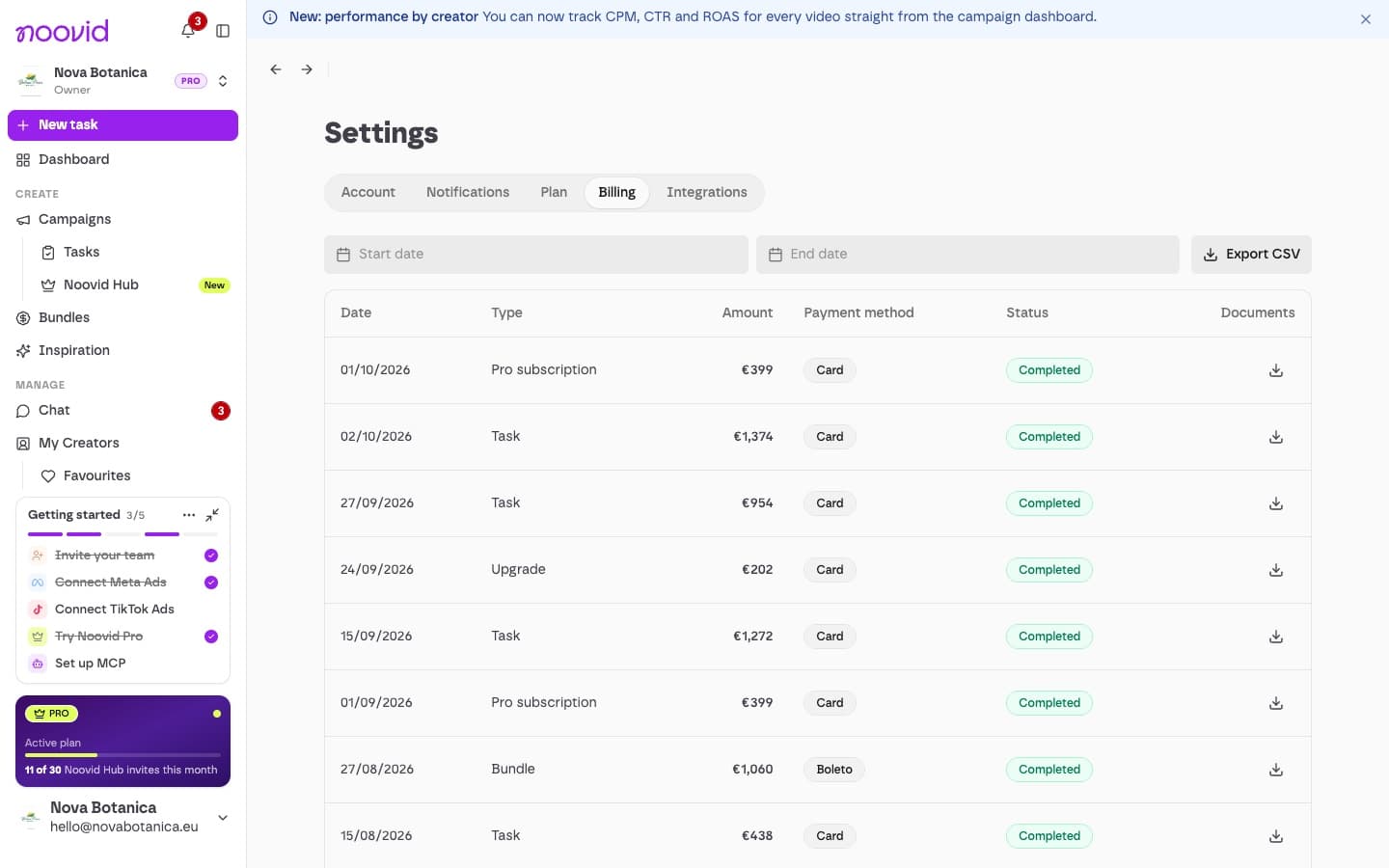
You pay by card, Apple Pay, Google Pay or bundle credits, and you'll find all your receipts under Settings → Billing.
💳 How payment works
- You pay when you publish a project or buy a bundle. Prices are in euros.
- Payments are processed securely by Stripe. Noovid never stores your card details.
- You can pay by card, Apple Pay or Google Pay, or with prepaid bundle credits.
- Your payment is held safely by Noovid and only goes to the creator once you approve the content.
In Europe, your contract and receipts are with Noovid LLC.
🧾 Receipts
Go to Settings → Billing to see your payment history, and click Download invoice to get the receipt for any payment — projects, bundles and your Noovid Pro subscription. Admins can also export the list as CSV.
On Noovid Pro, you can update the card used for your subscription under Settings → Plan → Update card.
🏢 VAT number and billing details
Add or update your company details and VAT number under Settings → Account → Profile → Invoicing details, so they show correctly on your receipts.
👥 Who can pay?
Paying by card, buying bundles and managing billing need the Admin or Owner role. Members can create projects using the brand's bundle credits. Team roles
🤝 Enterprise
Need something custom?
Need invoicing on payment terms, a custom contract or higher volumes? Noovid offers Enterprise plans — message us in the chat and we'll talk it through.
How do I pay creators for their videos?
How paying creators works on Noovid: one payment when you publish that covers the creator, the platform and fees — but not your product or shipping.
How do I get my invoice?
Where to download the receipt for any payment, and how to get your company details and VAT number on it.