
How do I share the tracking code with the creator?
Add the carrier and tracking number on the creator's job page — the creator is notified automatically and can follow the parcel.
As soon as you ship the product, add the carrier and tracking number on the creator's job page. The creator is notified straight away and can follow the parcel.
📦 Before you ship
Open the creator's job page
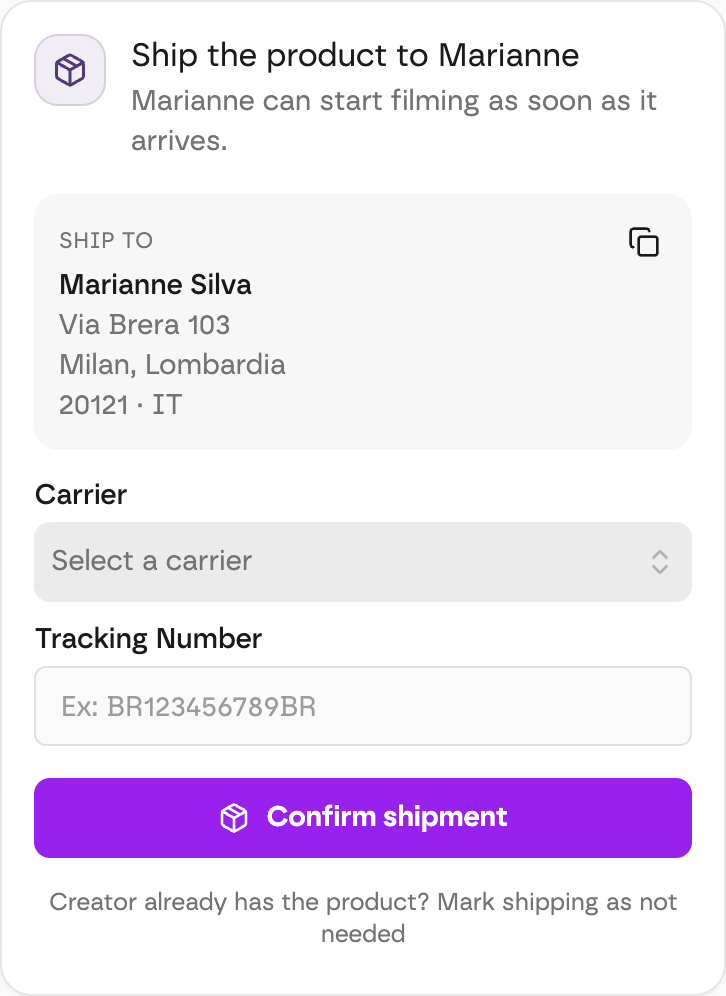
Once you accept a creator, their job page shows a Ship the product to (creator name) card.
Copy the address
The Ship to box has the creator's full address. Click the copy icon to paste it straight onto your shipping label.
Add the carrier and tracking number
Pick the Carrier, type the Tracking Number and click Confirm shipment. The creator is notified automatically.
The creator already has the product?
Click Mark shipping as not needed at the bottom of the card instead.
🚚 After you ship
The card changes to show where the parcel is (shipped, in transit, delivered, received). Open Shipment details to see the history, the carrier, the tracking number and the address, or to Update Tracking if something changed. Track Package opens the carrier's own page.
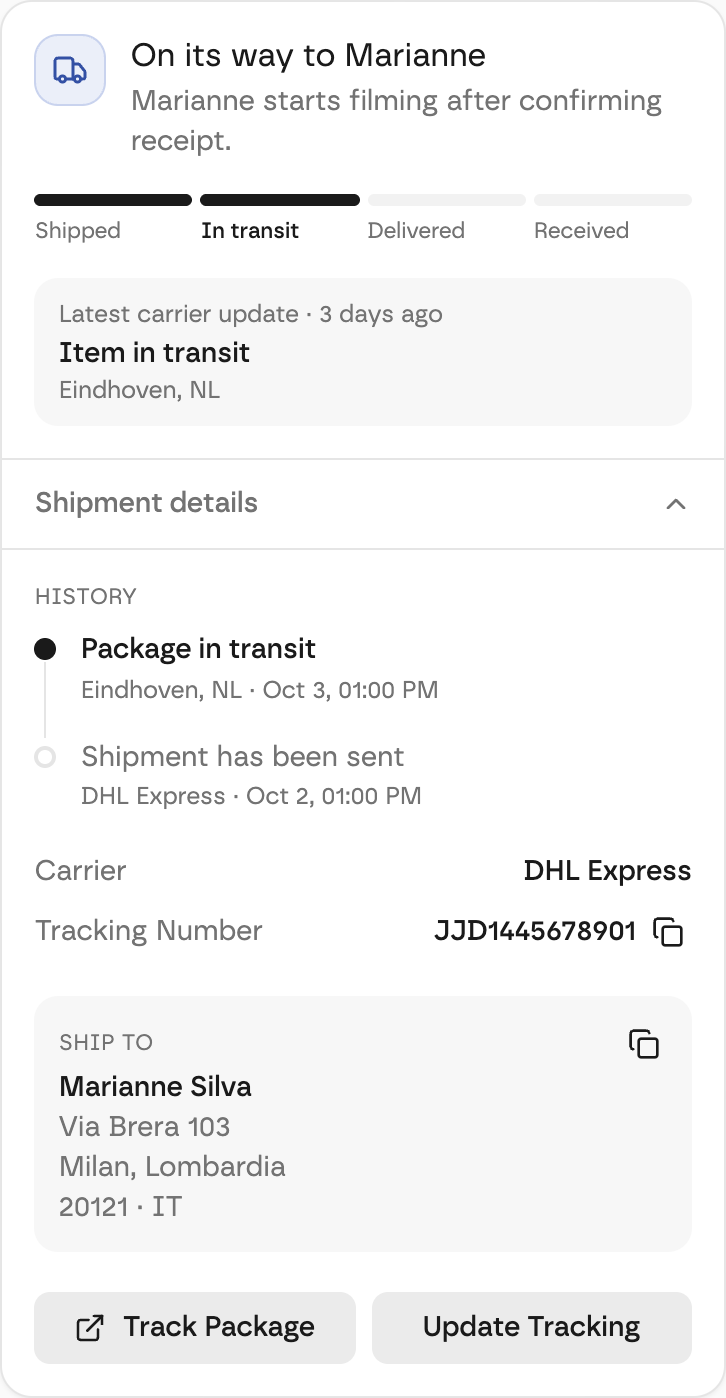
When the product arrives, the creator confirms receipt on their side — and that's when their delivery countdown starts.