How do I approve the creator's script?
With Creative freedom, the creator sends their script on the job page. Here's how to review it, request changes or approve it.
If you chose Creative freedom, the creator writes the script. After they're accepted, they send it to you on the job page, either written right there or as a Google Doc or PDF. You'll get a notification when it arrives.
📝 How to review it
Open the script
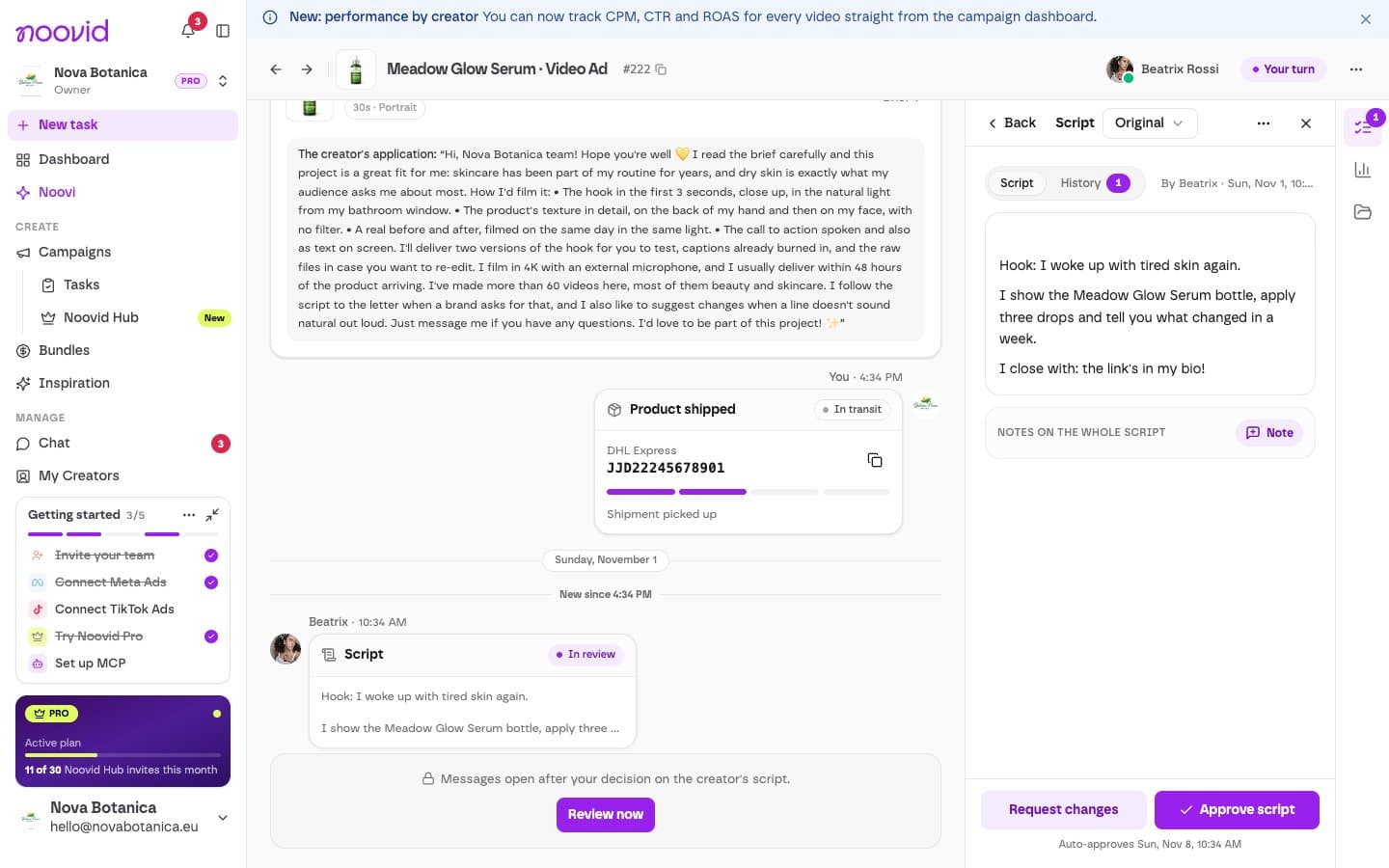
On the job page, click Review script. The script is split into Opening, Script and Ending, and the creator may have left you a note.
Approve it or request changes
- Happy with it? Click Approve script. The creator can start filming.
- Want changes? Pin a note to the part you want changed (or to the whole script) and click Request changes. The creator ticks off each note and sends a new version.
The creator can send up to 3 versions of the script. The last version has to be approved, so make sure your notes are clear. If it still needs changes, talk to us in the chat.
⏱️ Why reply quickly?
The creator's delivery countdown starts once the script is approved (and they've received the product). The sooner you approve, the sooner your video arrives.
If you don't respond within 7 days, the script is approved automatically.
✍️ Wrote your own script?
If you chose My own script (or reused one from your Script library), there's nothing to approve: the creator just follows it.
💡 Tips
- Check that the script mentions the points that matter most to you.
- Ask for changes at this stage: it's much easier to adjust a script than a finished video.
- An approved script is final, so read it through before you approve.
How long does it take to receive a video?
The delivery deadline: up to 10 calendar days on standard projects, 5 days via Noovid Hub and 48 hours with Express Delivery.
Can I ask the creator for revisions?
Yes — you can request up to 2 revisions, so you can get up to 3 versions of the video in total. Here's how it works.