
How and where do I submit my video?
Videos must be submitted through the project on the Noovid platform; here's how to do it step by step.
Upload it on the job page on Noovid. That's the only way to deliver — it's quick, and there's one important rule.
🚫 Only deliver through the platform
We don't accept videos sent by:
- Google Drive
- WeTransfer
- Any other outside channel
Outside deliveries don't count
Videos sent outside the platform don't count as a delivery for payment and can lead to a penalty.
🛡️ Why only through the platform?
- There's an official record of your delivery, which protects you if there's ever a disagreement.
- You get paid safely — only videos delivered on the platform are paid.
- Our team can help if anything goes wrong.
📤 Step by step
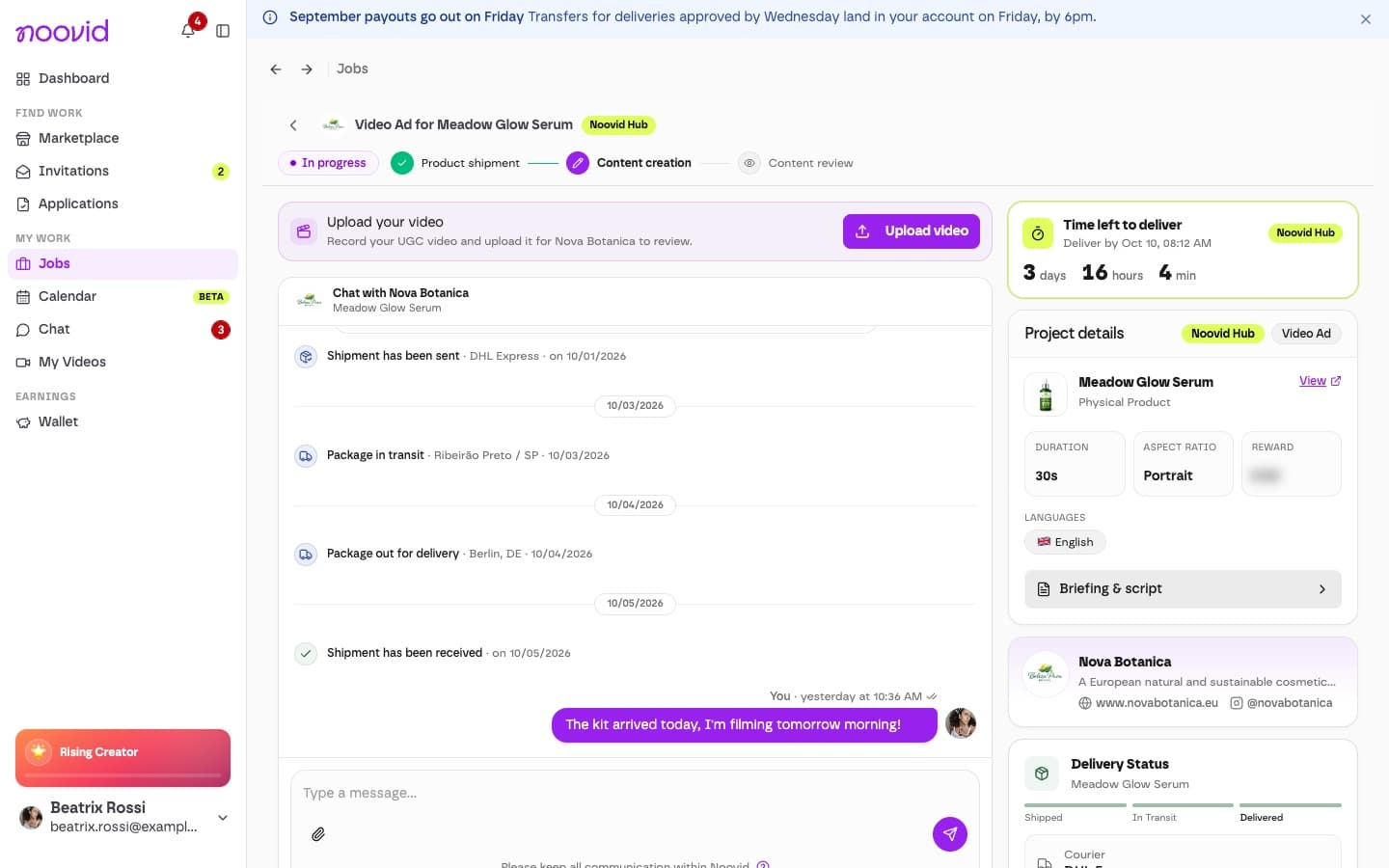
Open the project
Click Jobs in the sidebar and open the project.
Click Upload video
On the job page — where all communication and delivery happen — click Upload video (or Upload revision if the brand asked for changes).
Upload the video
Pick the file from your device (up to 500 MB, Full HD or higher, no watermarks). Wait for the upload to finish before closing the screen. The platform checks that the length is within 5 seconds of the project's length.
Confirm the submission
The brand gets a notification that your video is ready to review, and the project status updates automatically.
One video at a time
You can only have one video waiting for review at a time, so wait for the brand's decision before uploading a new version.
Stuck or not sure about something? Just reach out to our team.
How long do I have to create the content for a project?
You have 10 calendar days (5 on Noovid Hub, 48 hours with Express), counted from when you confirm you've received the product (or from when you're accepted, for digital products and services).
The brand is asking for extra edits. What should I do?
When a brand can request revisions, the limit of two, and when you don't have to make changes.