
🎬 Creating content
How do I receive the product, and what if it doesn't arrive?
How product shipping works for creators: tracking, confirming receipt, digital products, and keeping the product.
The brand ships it to the address on your profile once you're accepted, and you can follow it on the job page.
📦 How you receive it
- Once you're accepted, the brand sees the address on your profile and sends the product. Keep your address up to date in Settings → Account.
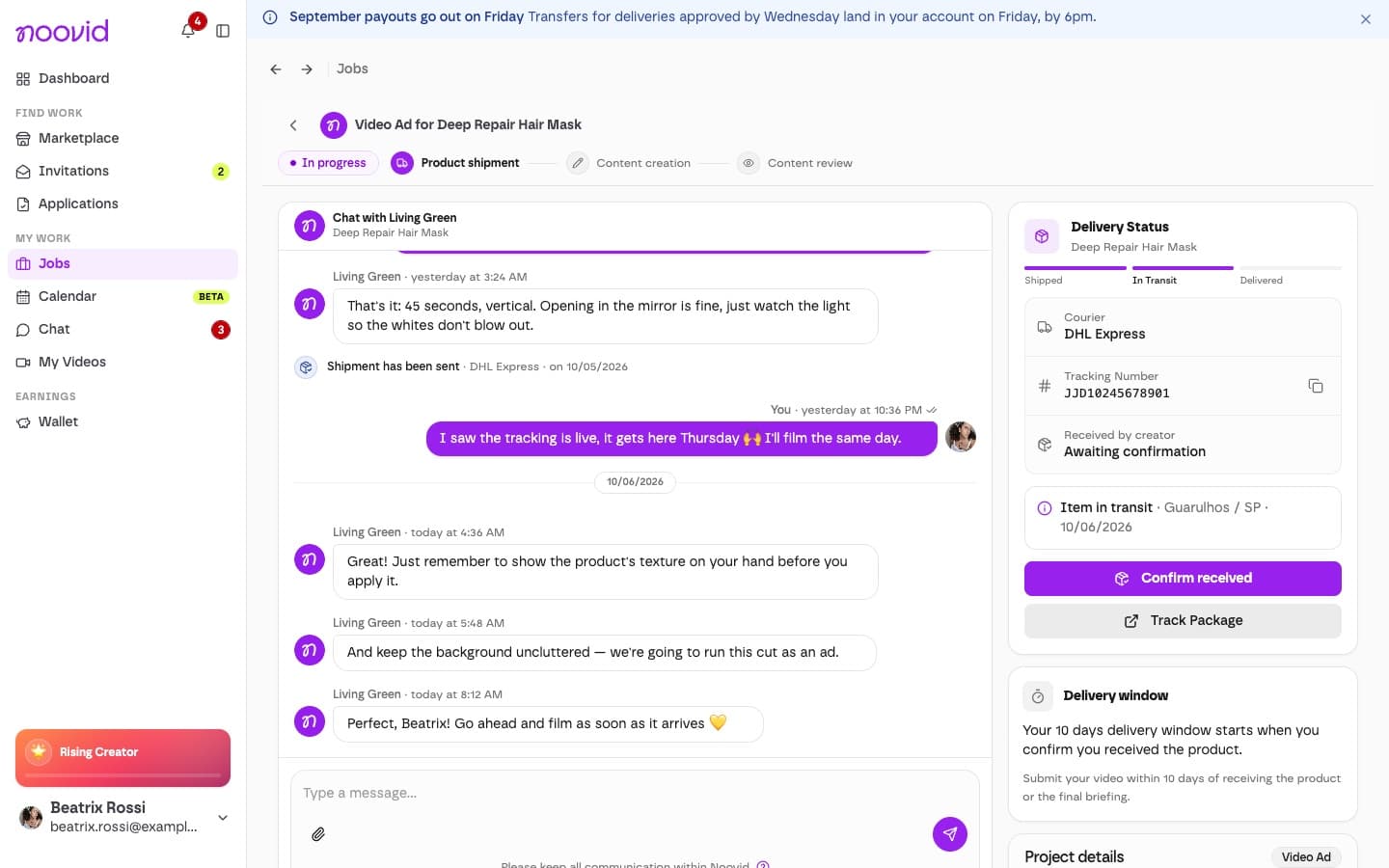
- When the brand adds the tracking code, we'll email you and you can follow the parcel on the job page.
- When it arrives, tap Confirm received on the job page. Your deadline starts once you've confirmed you received the product, so confirm as soon as you have it. Tap Confirm in the window that opens. If the brand hasn't added tracking yet but the product is already with you, tap Already received it? Confirm at the top of the job page instead.
🔍 The product hasn't arrived
- Check the tracking status on the job page.
- Message the brand in the chat. If the carrier needs a phone number or extra details, you can share them there.
- Still no news? Contact our support team.
Lost or damaged parcel?
Tell the brand in the chat — they'll send a replacement. Your countdown only starts once you've received a usable product, so don't tap Confirm received for a damaged item.
🎁 Do I keep the product?
Yes. It's yours to keep once you deliver the content, and you never pay for the product or the shipping. If you don't deliver, you'll need to return it or pay back its value.